

员工任务

员工任务 是一组可复用的对话启动参数。它可以固定员工、提示词、模型、Skill、Tool、网页搜索和工作上下文,让用户从业务记录旁边直接发起分析、草拟或复核。
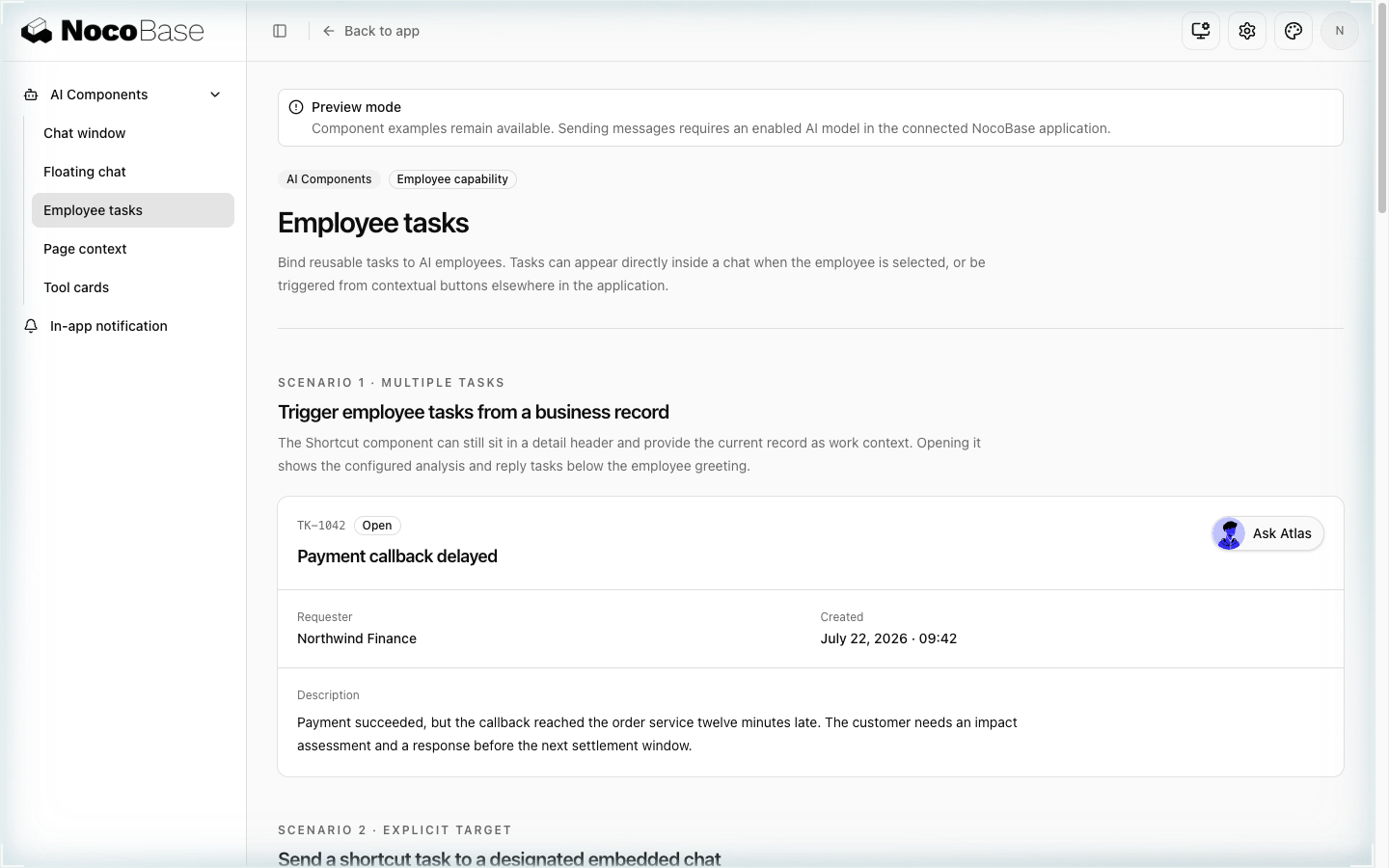
AI 员工任务组件示例

定义任务

import type { AIEmployeeTask } from '@/extensions/nocobase-ai/providers';

const analyzeCustomer: AIEmployeeTask = {
  title: 'Analyze this customer',
  message: {
    system: 'Use confirmed customer facts and identify operational risk.',
    user: 'Analyze this customer and recommend the next action.',
  },
  autoSend: true,
  model: { llmService: 'gpt', model: 'gpt-5.6' },
  webSearch: false,
  skillSettings: {
    skills: ['customer-follow-up'],
    tools: ['find-customer'],
  },
};

autoSend: true 会立即发送,适合结果明确且无额外确认的任务;false 只把内容放入输入框,让用户检查和补充。

skillSettings.tools 是白名单:列表非空时,这个会话只能使用列出的 Tool,而且这份设置会存进会话,之后每一轮都生效。上面的示例因此只能用 find-customer,以及 Skill 在加载时激活、同时也列在这里的 Tool。任务不需要收窄时就不要写 tools,员工会保留自己的全部 Tool。任务收窄了 Tool、上下文里又引用了表单时,聊天框会自动把 formFiller 加进这个列表。

在记录旁边显示快捷入口

<AIEmployeeShortcut
  aiEmployee='customer-success'
  tasks={[analyzeCustomer]}
  label='Ask Customer Success'
  size={34}
/>

多个任务会先打开新会话,在员工问候语下显示任务列表。需要把任务送到页面内已有的聊天框时,通过 target 传入该场景的 Controller,避免误触发页面上的其他对话。

在聊天框内绑定任务

AIChatProvider.employeeTasks 按员工 username 绑定空状态任务:

<AIChatProvider
  id='customer-workspace'
  employeeTasks={{
    'customer-success': [analyzeCustomer],
  }}
>
  <ChatInline className='h-[620px] min-h-0'>
    <AIChatWindow />
  </ChatInline>
</AIChatProvider>

用户切换员工时,空状态中的任务会一起切换;会话开始后,空状态任务会消失。

上下文优先级

任务自己的 message.workContext 优先于 Shortcut 的 context,Shortcut 的显式上下文优先于周围 AIPageContextScope。任务没有显式上下文时,才继承当前 Scope。触发时再解析上下文,以便读到最新的记录或表单值。

相关链接