

4. Add an approval flow
An order must not become approved because a salesperson sends status=approved. Implement submission and supervisor decisions first, then trigger the result workflow.
Goal and starting point
First finish the access checks with salesperson and supervisor accounts. This chapter moves an order from Draft to Pending approval, then records a supervisor's decision. Check both the order state and its corresponding workflow run.
Order state and workflow execution state
Order state describes the business decision; workflow state describes background processing. An order can already be approved while follow-up processing is still running. Do not combine both into one ambiguous success message.
The order's version identifies each state change. Retry the same decision with the same event identity; a new transition produces a new version. This also supports notification deduplication in the next chapter.
Define state transitions
Increment version on each transition and match the previous version when updating, so concurrent decisions cannot both succeed. This example retains the current state and latest comment, not a complete approval audit trail, reassignment, or countersigning.
The current workflow provides Condition, Run, and Terminate instructions. This tutorial persists the wait in the order's submitted state and triggers a workflow after the supervisor decides. Do not keep a Run instruction alive while waiting for a person, or assume a built-in human approval node exists.
Ask your AI Agent to implement the flow
Check the definition and application code:
A passing definition check does not prove the business script runs correctly.
Enable and approve
As an administrator, open workflow settings, find Order decision, and enable the current definition. Development discovers workflow source; production needs its built artifacts deployed with the application.
Submit a draft as its owner, then sign in as the supervisor and open the same order. Check Pending approval and choose Approve. Refresh to confirm the decision persisted.
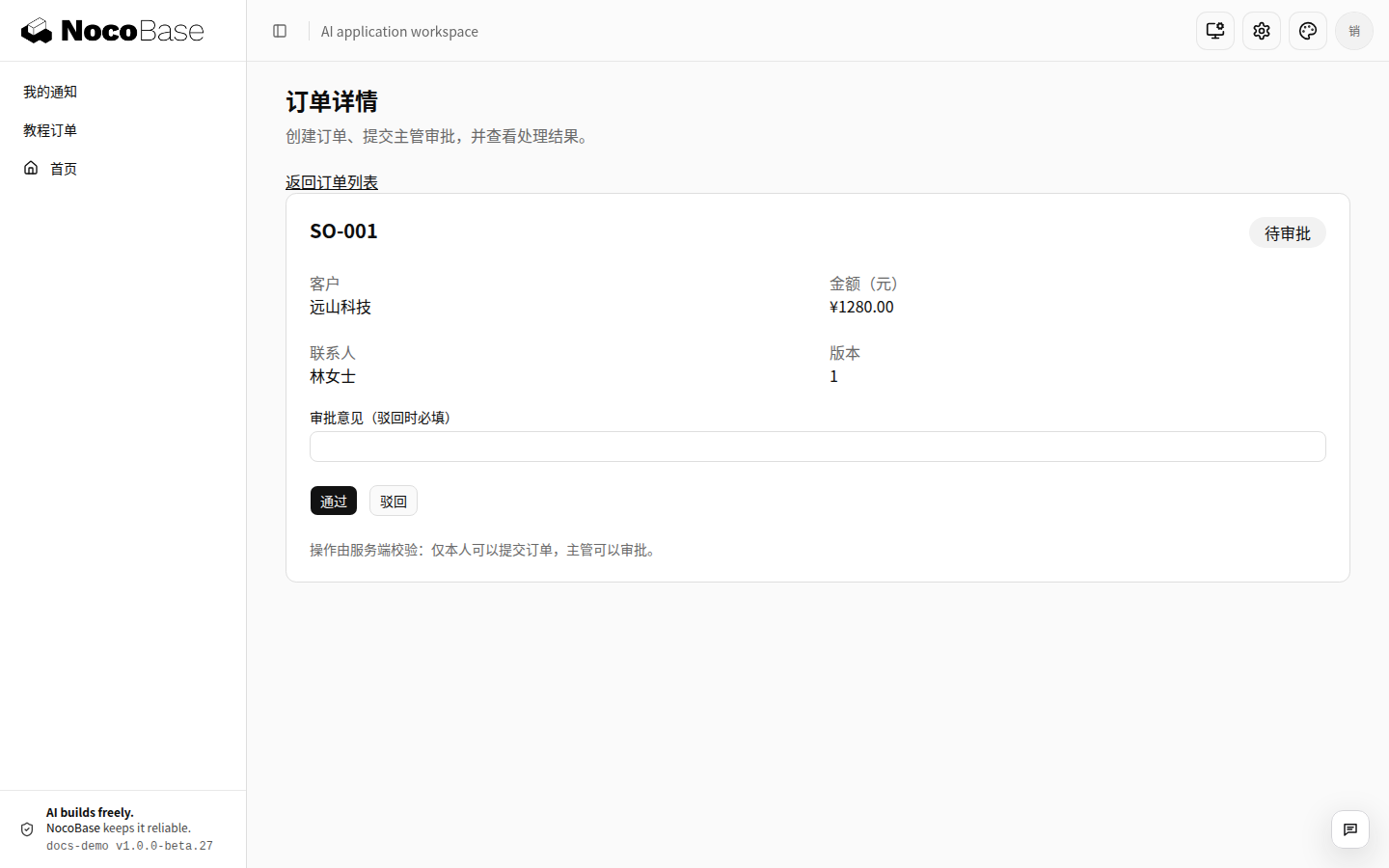
Inspect workflow runs for the order ID, revision, and execution result. accepted means the event was accepted, not that execution succeeded. Check asynchronous results and node errors separately.
Check three more paths
- A salesperson's direct approval request is denied.
- Reject another order with a required comment. The applicant sees the result and can submit again.
- Approve twice: only one state transition succeeds.
If the decision is saved while the workflow is disabled, enable it and dispatch the same event. If a run has already failed, inspect the error and completed effects before choosing recovery. Do not keep generating random event keys.
Next: Send notifications.