

Language switching
A NocoBase 3 application supports multiple languages out of the box, with English and Chinese built in.
If those two are enough, the first two sections are all you need. Read on to add a language or to make the application start in a different one — a Coding Agent can do both.
Switching the language
Open the account menu at the top right, choose Language, and pick one.
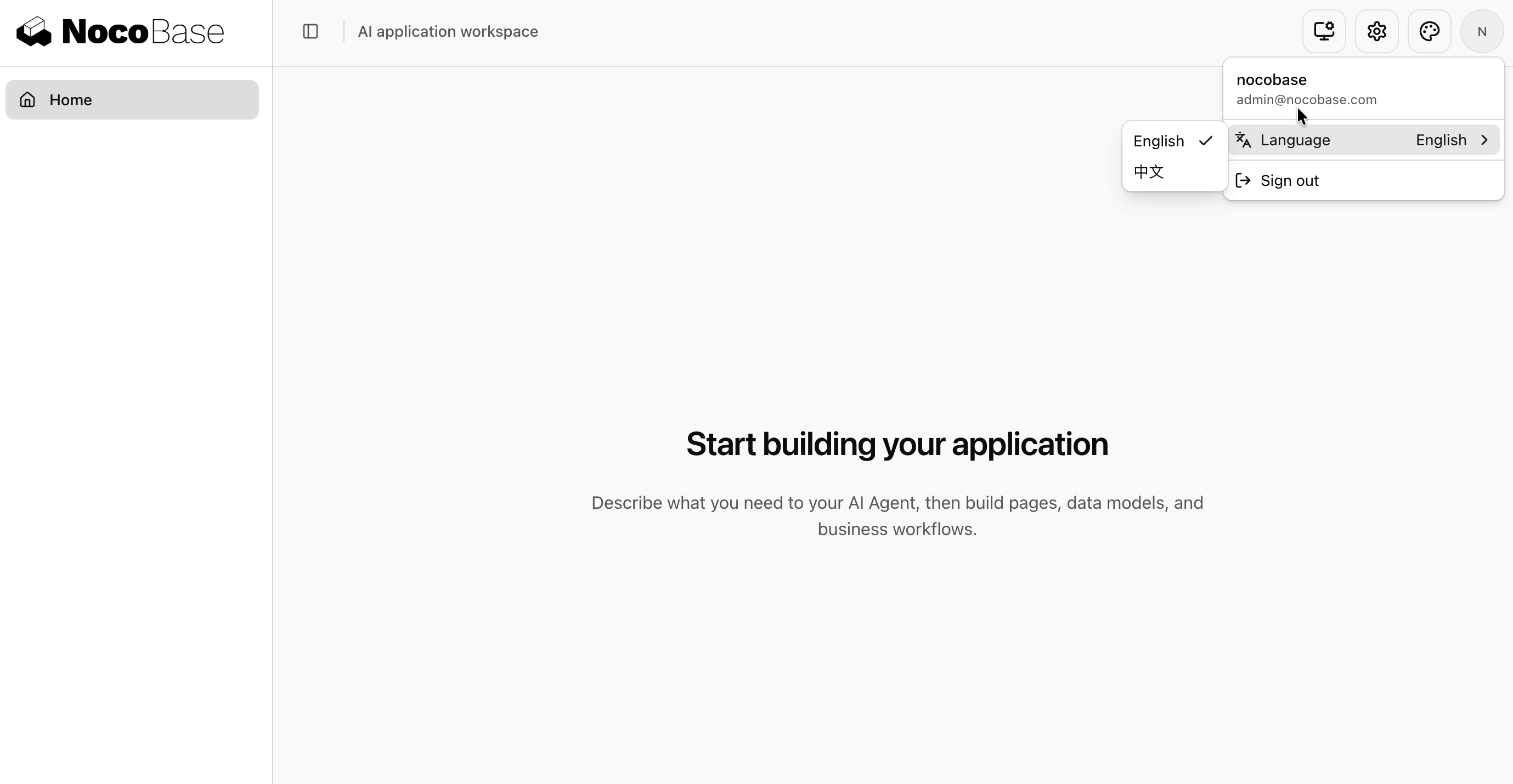
The switch takes effect immediately without a reload, and the interface a plugin contributes follows along.
Switching is per user. The choice is stored in the current browser and survives a refresh, but does not sync to another device with the account. Switching to Chinese changes nothing for anyone else, and does not change the application's default language.
Adding a language
The languages an application offers come from its own locale files — adding a locale file is adding a language.
Those files live on both sides: client/locales/ decides which languages appear in the switcher, and server/locales/ decides which ones the server can answer in. Keeping the two aligned is recommended. A language available only on the client can still be selected: the interface switches, the server uses English, and an informational toast explains the fallback.
Hand it to a Coding Agent and name the language; its code is not something you need to look up:
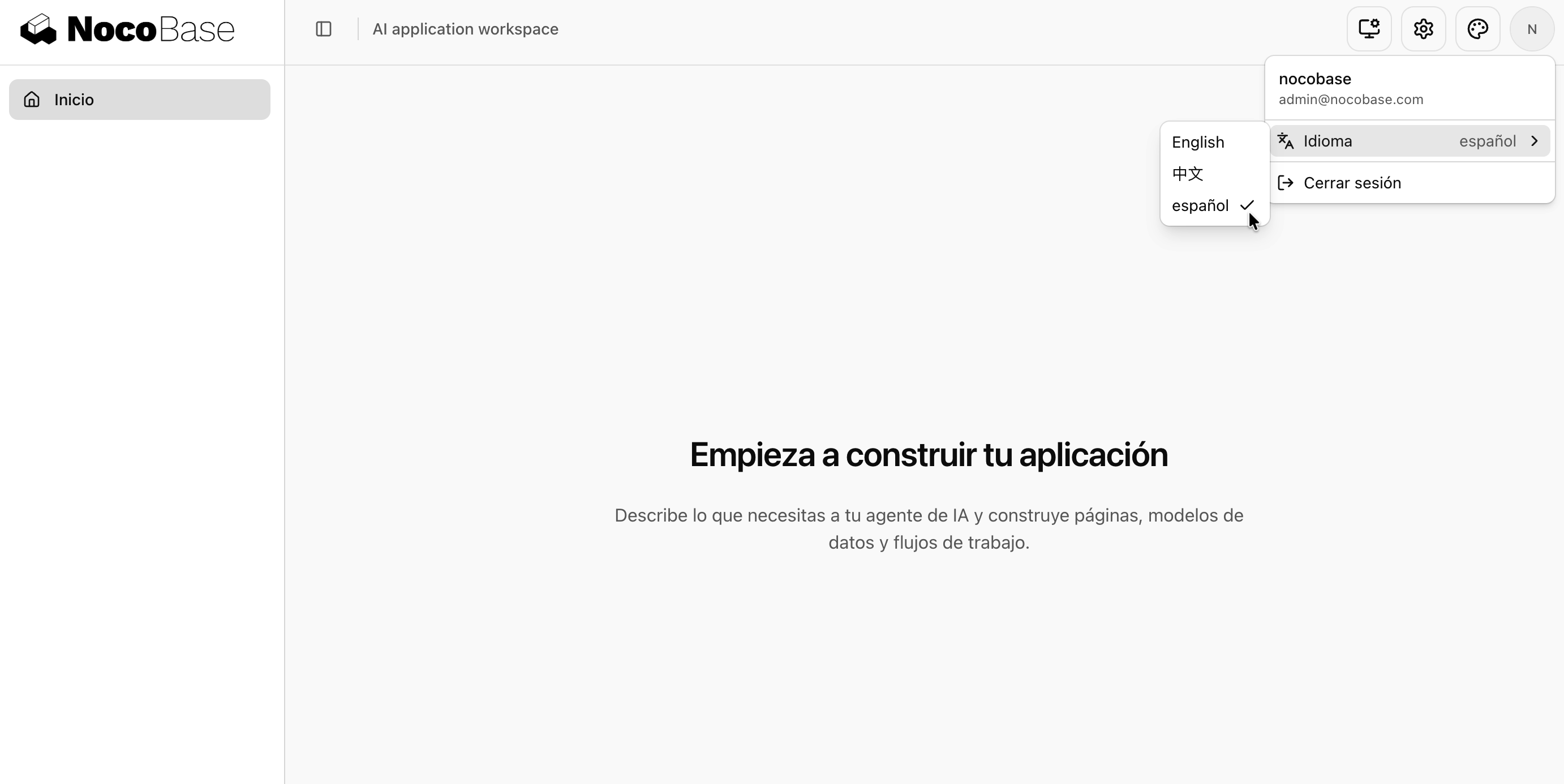
It creates the locale files, registers them in the loader map, and checks that both sides agree. Refresh the page afterwards and the switcher has a new entry.
If a language ended up on only one side, this command reports it:
Setting the default language
The default language is what someone who has never chosen one sees the first time they open the application. Set it in config.yml:
It is en-US when unset. Refresh the page after the updated configuration takes effect.
In both development and production, the server sets the HTML lang attribute to this default before sending the page. The client then synchronizes lang and text direction with its resolved language, including a previously saved choice, and keeps them updated when the language changes. Changing the deployment's default language does not require rebuilding the client.
The default applies only to a browser that has made no choice. If you change this setting and your own interface stays as it was, you most likely switched language by hand at some point — try another browser, or clear the site data.
The default language has a second job: text with no translation in the language in use falls back to it.
Languages a plugin has
A plugin has not necessarily translated every language your application offers. What it has not translated falls back in this order:
For example: the application defaults to Chinese, you added Spanish, and a plugin translated only Chinese and English. A Spanish-speaking user sees your own text in Spanish and that plugin's text in English.
To put a plugin's wording in your own words, override it from your own locale file — see Application development / Internationalization.
Common questions
I switched language, but part of the interface is still English
That text belongs to a plugin that has not translated the language. Falling back to English is the intended behaviour, not a fault. Override the key from your own locale file if you need it in your language.
I added a locale file, but the switcher does not list it
Check that you added it under client/locales/ — that is the side the switcher reads. Then run pnpm nocobase locales check to see whether both sides agree. A new locale file also needs the dev server restarted.
The interface switched, but what the server returns is still in the old language
Usually the language was added to client/locales/ alone. The server does not recognize it, so it keeps answering in the previous one.
Two tabs on the same account affect each other
The server stores the language on the session, and tabs sharing an account share one session, so the later switch overwrites the earlier. The interface itself is unaffected — each tab shows its own language. What is affected is what the server produces, such as error messages. This is a known limitation.
Related
- Application development / Internationalization — writing translatable text, organizing locale files, overriding a plugin's wording
- Configuration — what else goes in
config.yml